

Encryption and puzzles
Clavyx
The art of not being read.
A cryptography school that fits in your pocket, and a workshop for puzzle makers: encrypt, decrypt, and put your messages to the test. Everything happens on your device.
- Available
- No account
- Offline
- 5 languages
- Free
In pictures
Scroll to see the other screens.
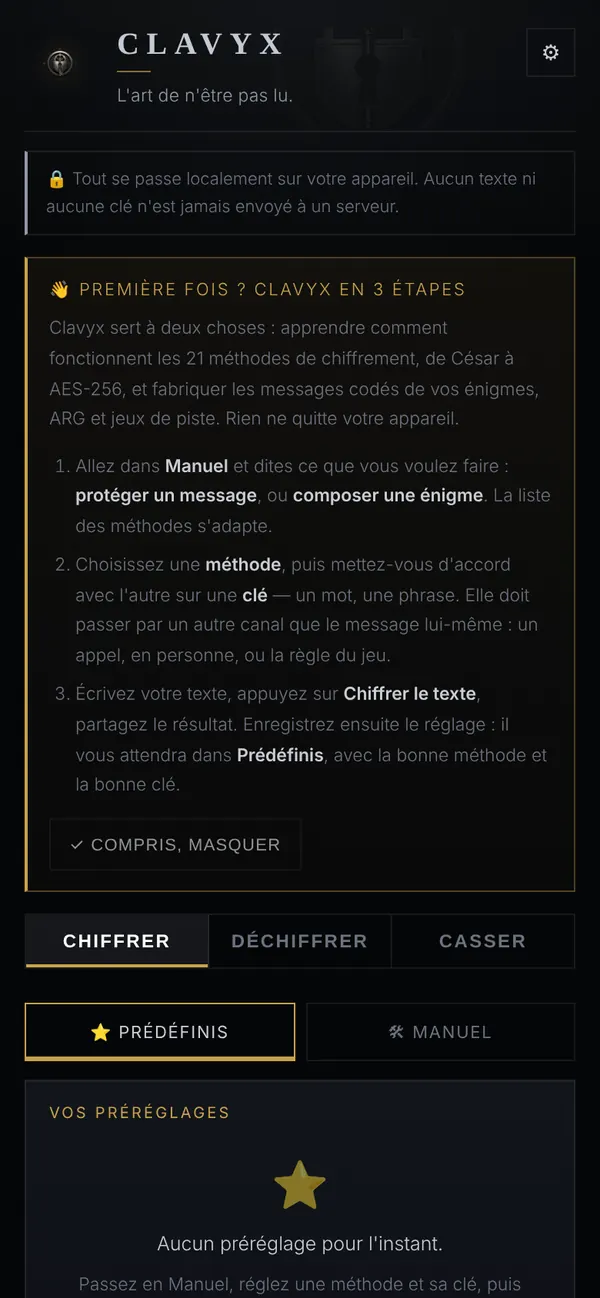
Encrypt, decrypt, break 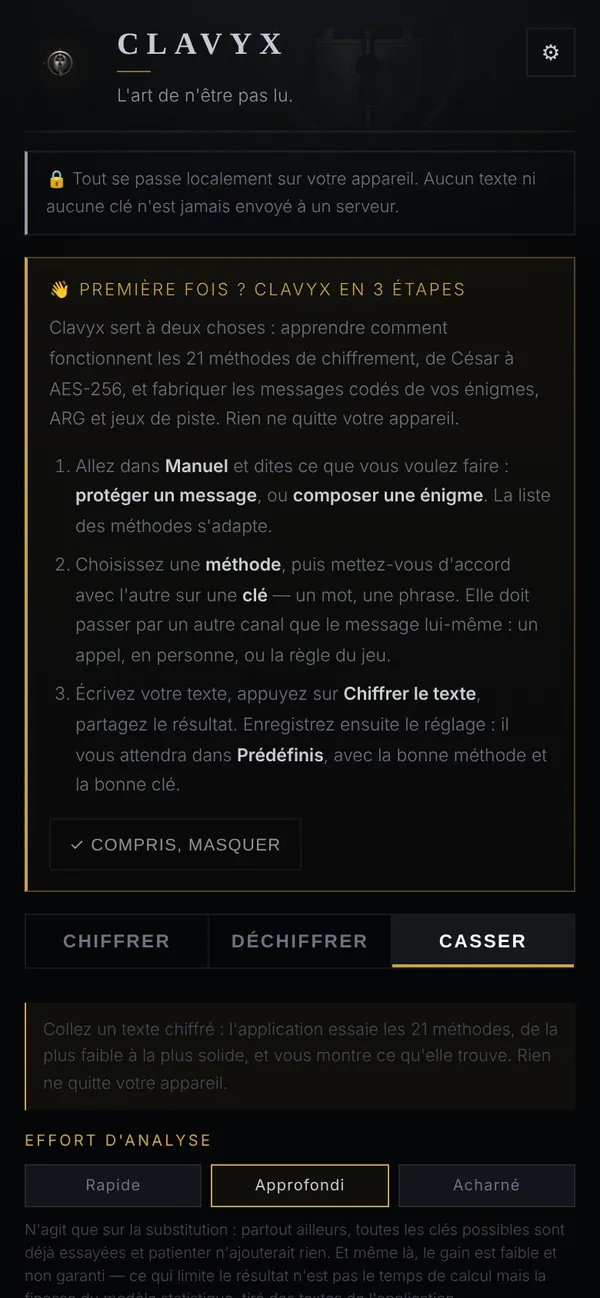
Break: three levels of effort 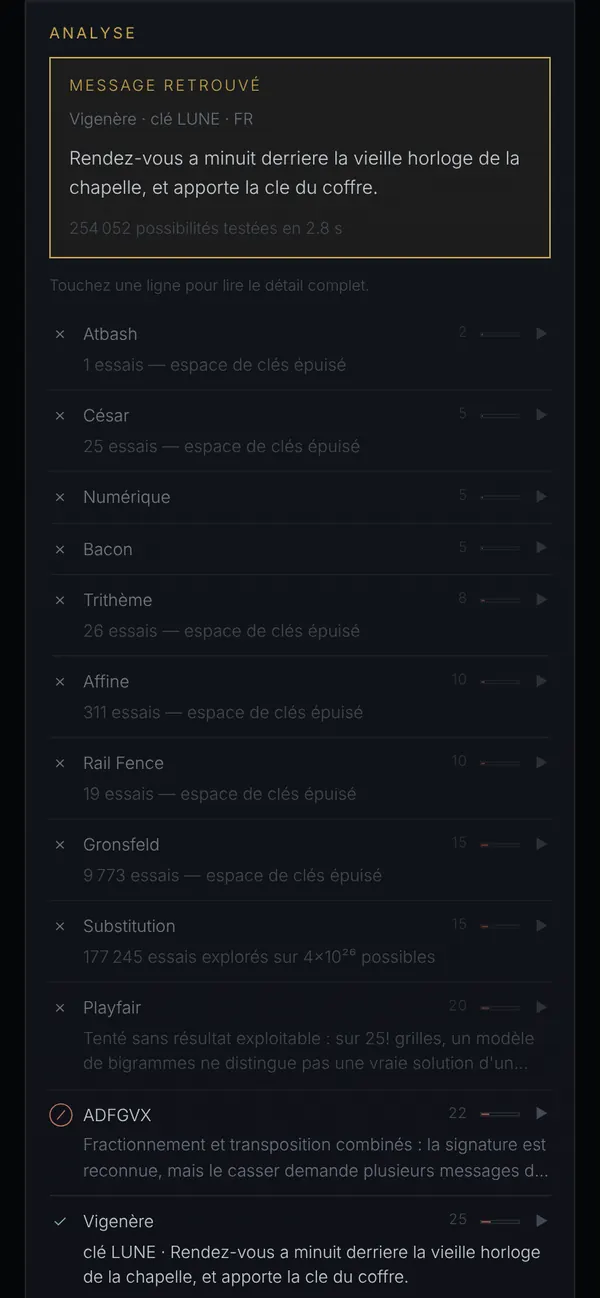
A Vigenère recovered, key and all
The essentials
Understand, not just encrypt
From the Caesar cipher to modern standards — AES-256, ChaCha20, RSA, elliptic curves — by way of Vigenère, Playfair or the 1918 ADFGVX: 21 methods, each explained on five levels. One sentence, the steps to follow, the history, the technology, then the advanced explanation: stop wherever you like.
The puzzle workshop
Putting together a treasure hunt, an escape room, an ARG? Clavyx composes your coded messages, keeps your settings as presets and your contacts in an address book. And Break mode plays the opponent: paste an encrypted text, the app tries all 21 methods and shows you what holds — or what falls.
What it can do
21 methods
Historical ones for period flavor, modern ones when the protection has to be real.
Five levels of explanation
From the first sentence to the advanced explanation: S-boxes, Kasiski examination, index of coincidence.
Break
Quick, thorough or relentless effort: Caesar, Vigenère, Gronsfeld and others fall in a few seconds.
Presets and address book
Each puzzle keeps its method and its key; each contact, theirs.
Light or dark theme
And five languages: French, English, Spanish, Portuguese, German.
100% offline
Neither your texts nor your keys ever leave your device.
Fact sheet
- Type
- Tool · cryptography
- Devices
- Phone, tablet, computer (browser), installable
- Languages
- French, English, Spanish, Portuguese, German
- Account
- None
- Offline
- Yes
- Ads
- None
- Purchases
- None
- Price
- Free
- Status
- Available
Your data
- Your messages, your keys and your presets never leave your device.
- Fonts are loaded from Google Fonts on the first online launch.
- Optional motion sensors, for a visual effect; nothing is recorded.
Install it
Open Clavyx, then: on Android, ⋮ menu → “Install app”; on iPhone, Share → “Add to Home Screen”; on a computer, the install icon in the address bar.